 English
 Русский
 Deutsch
 Français
 Nederlands
 Română
 Other languages
 Photo
Photo Documentation
Script's Guide
Customization - Home page
The photo store script has unique tool which allows to customize a home page and place different slideshows and photo sets there.
Please go to Admin panel -> Templates -> Home page
If you want to modify home page content you should edit the file on FTP: /templates/template[n]/home.tpl
You can place different photo/video sets by different criterias into HTML code of the home pag.
To add a new file set component you should insert the next code: {COMPONENT_ID}.
Important! The components are cached once per hour. So you should clear cache after you change a component.
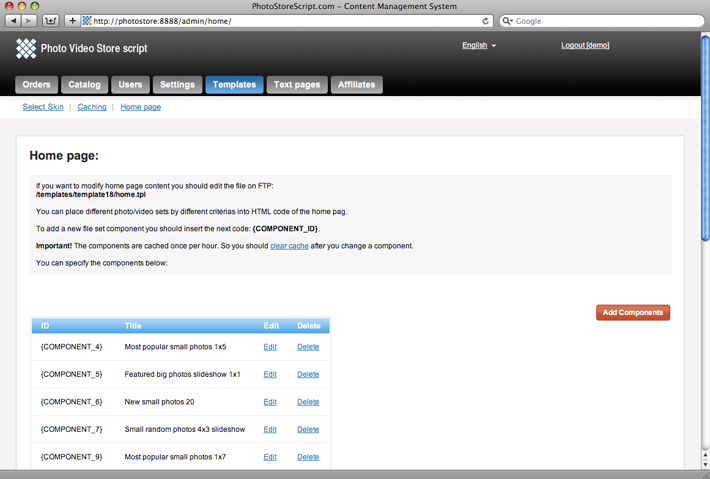
Every component has the next properties:
| Field: | Description: | Example: |
|
Title |
The title of component |
Small random photos 4x3 slideshow |
|
Content |
The type of content |
Photo small thumbs, Photo big thumbs, Video thumbs, Audio thumbs, Vector small thumbs, Vector big thumbs. |
|
Type |
The method of sorting |
Featured, New, Most popular, Most downloaded, Free Download, Random. |
|
Category |
The category which contains the files for the set. |
The list of available categories |
|
User |
The author of files from the set |
The list of available users |
|
Quantity |
The quantity files in the set. It must be more or equal Columns x Rows |
20 |
|
Columns |
The quantity of columns in the set |
4 |
|
Rows |
The quantiry of rows in the set |
3 |